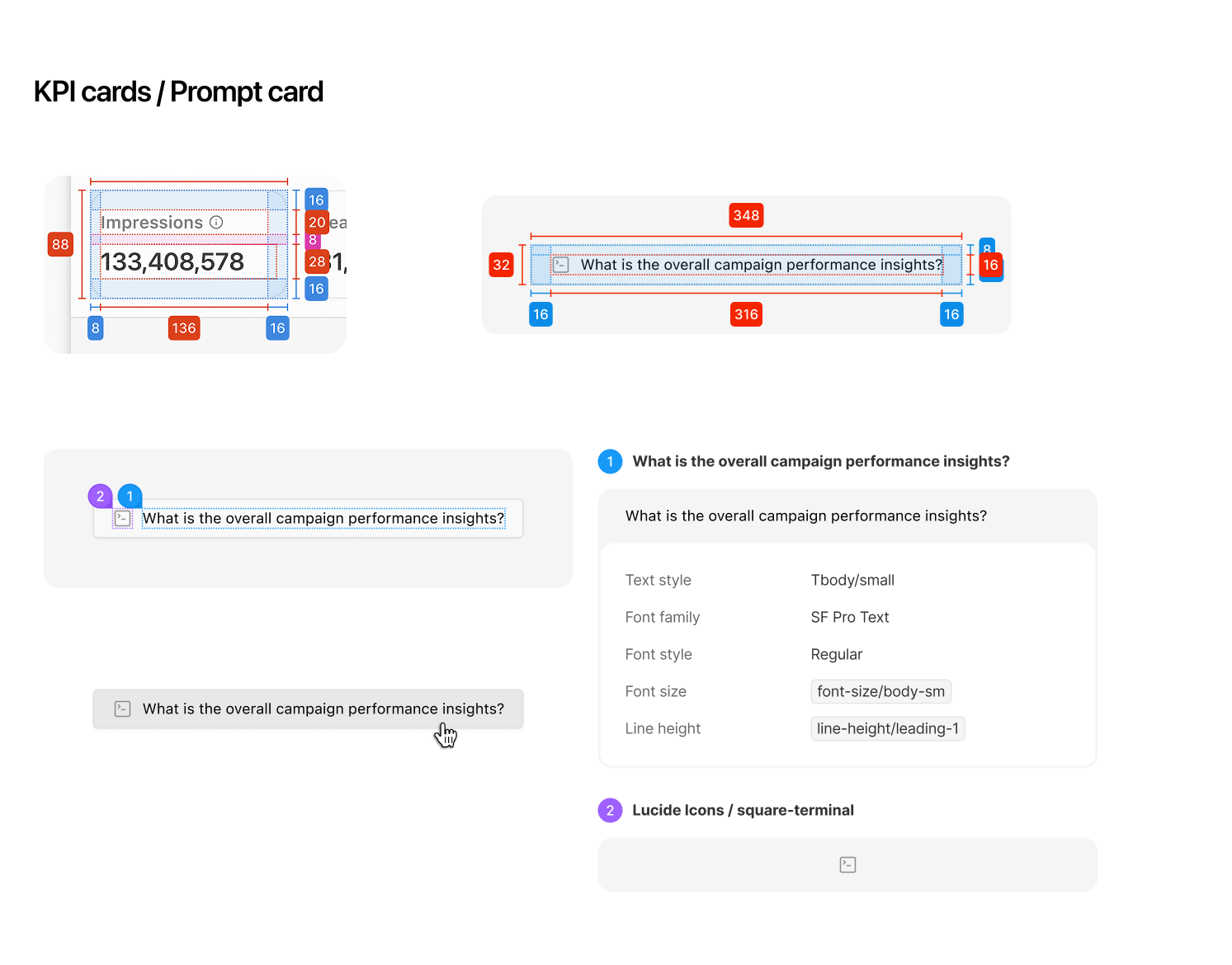
Design Details
Experience structure and the promise to the user.
Why AI-first?
AI-first turns an analytics tool into an intelligent assistant that explains what happened and what to do next.
1. Translate Data into Insights
Instead of showing users dozens of metrics, the product explains what happened.
Example
“Your campaign CPA increased 22% because CTR dropped in the last 48 hours.”
2. Turn Data → Insights → Actions
AI not only analyzes data but also recommends what to do next.
Examples
- Detect patterns automatically
- Recommend optimizations
- Predict future performance
Example action
“Increase budget on Location A by 15%.”
3. Make Advanced Analysis Accessible
Campaign analysis usually requires analysts or complex tools.
AI simplifies this with:
- Natural language questions
- Automated analysis
- Simpler workflows
Example
“Why did my ROAS drop last week?”
CPA (Cost per Acquisition), CTR (Click-Through Rate), ROAS (Return on Ad Spend).
UX contract
This AI reporting assistant analyzes connected campaign data to surface trends, anomalies, and performance drivers. Users retain final decision-making authority unless automation is explicitly enabled.
What It Does
- Summarizes campaign performance
- Detects trends & anomalies
- Identifies performance drivers
- Generates plain-English insights
What It Does NOT Do
- Does not guarantee causation
- Does not guess beyond available data
- Does not auto-change campaigns without approval
- Does not replace human strategy
Who Makes the Decision
- AI suggests
- Human approves
- Automation requires explicit opt-in
Failure Handling
- If data incomplete → show warning
- If anomaly detection unreliable → reduce confidence
- If model uncertain → ask user question
Design details
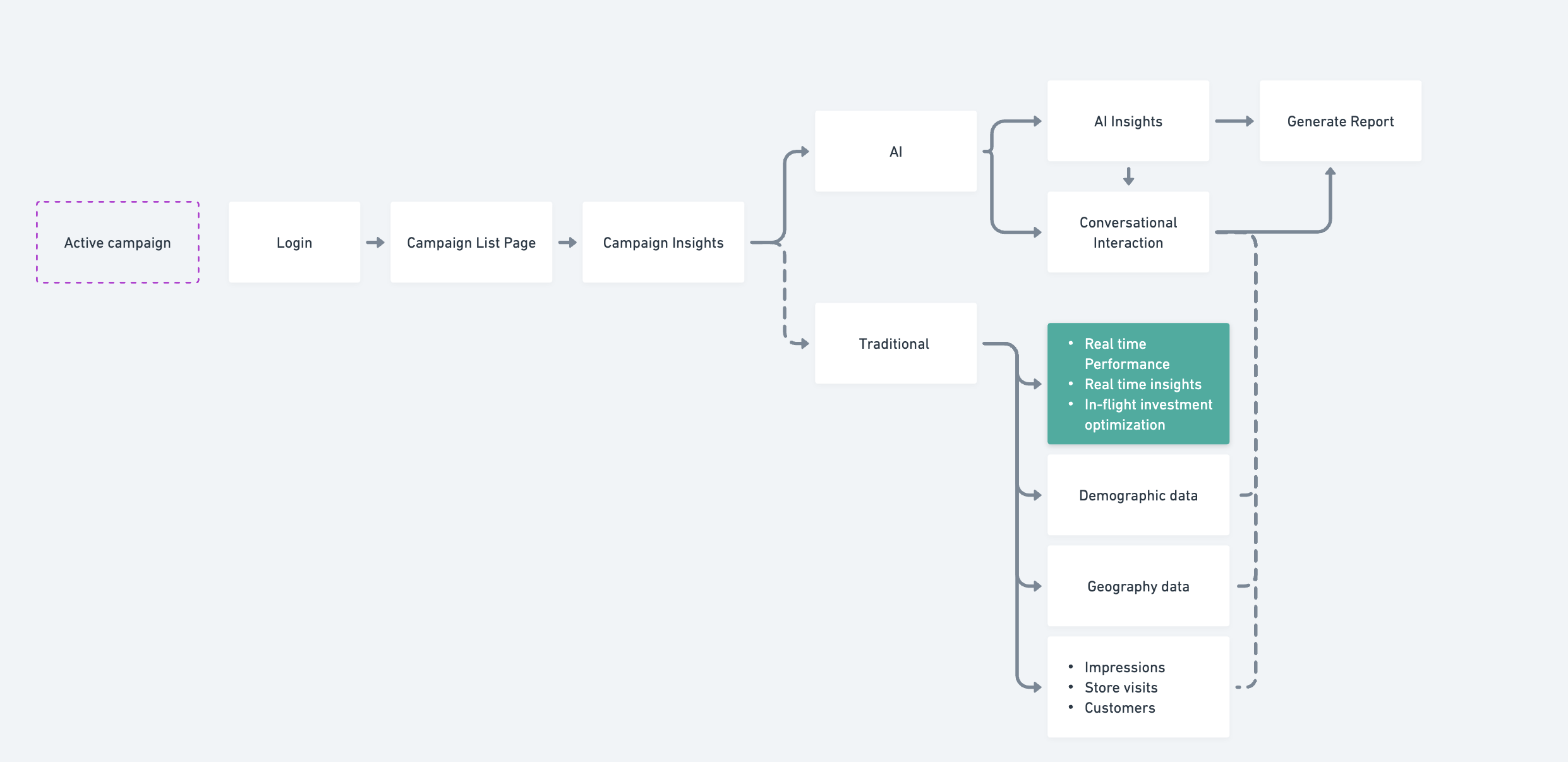
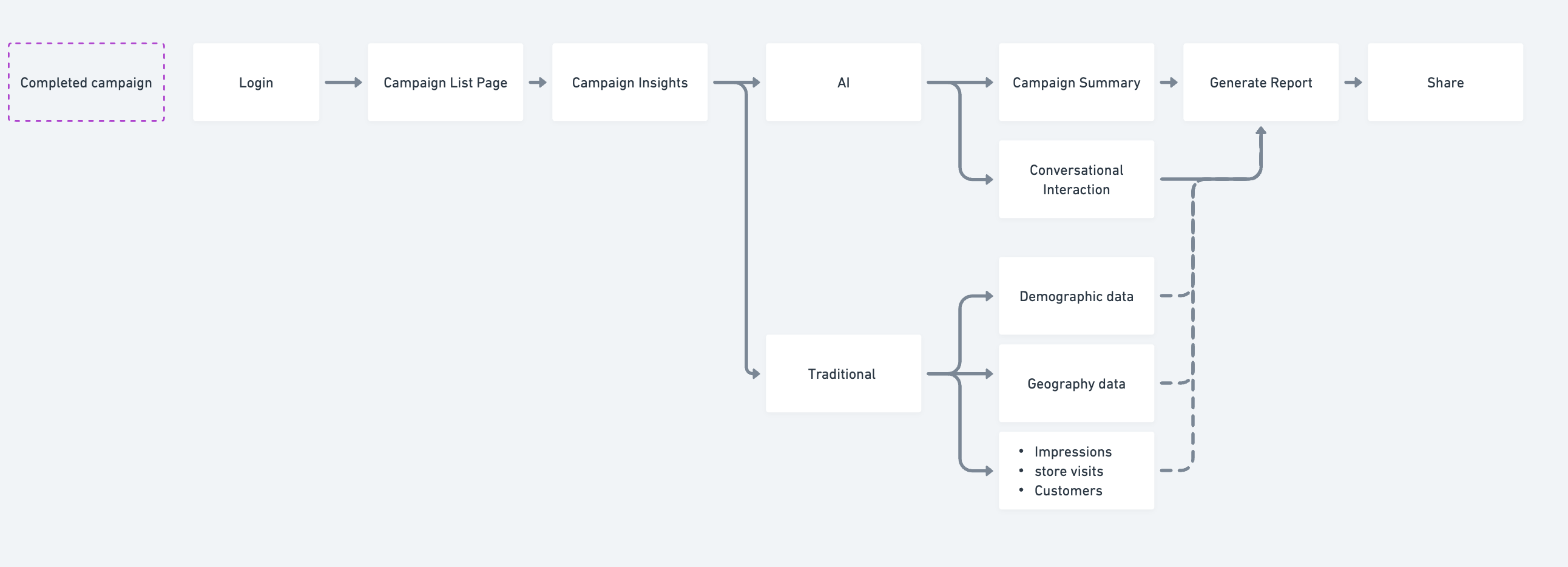
Information Architecture
Key areas: Campaign, Reporting, Admin, and Setup
Design System
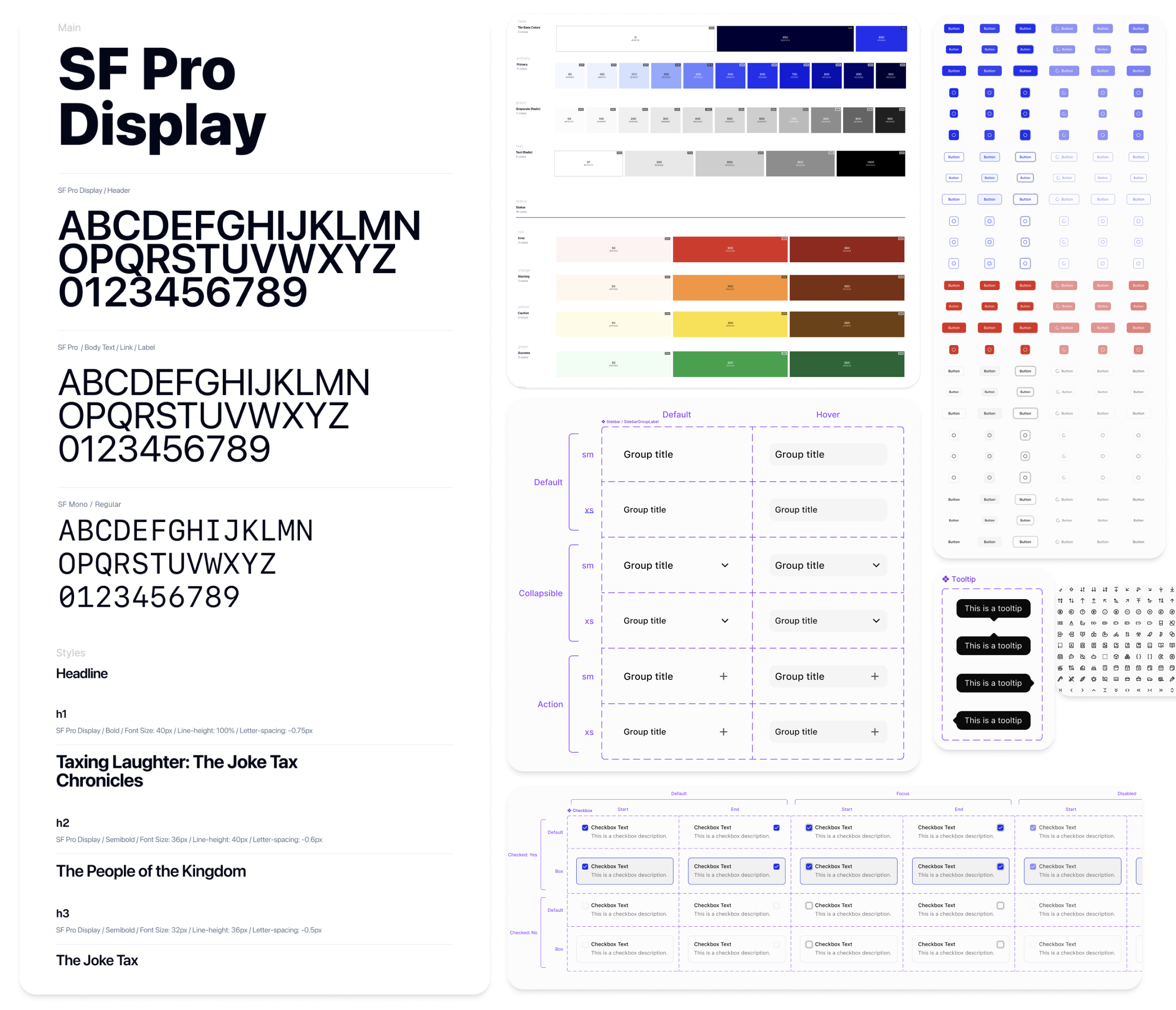
We transitioned our design system to shadcn, a headless open-source component system. This shift significantly reduced the time we spent maintaining our own design system.
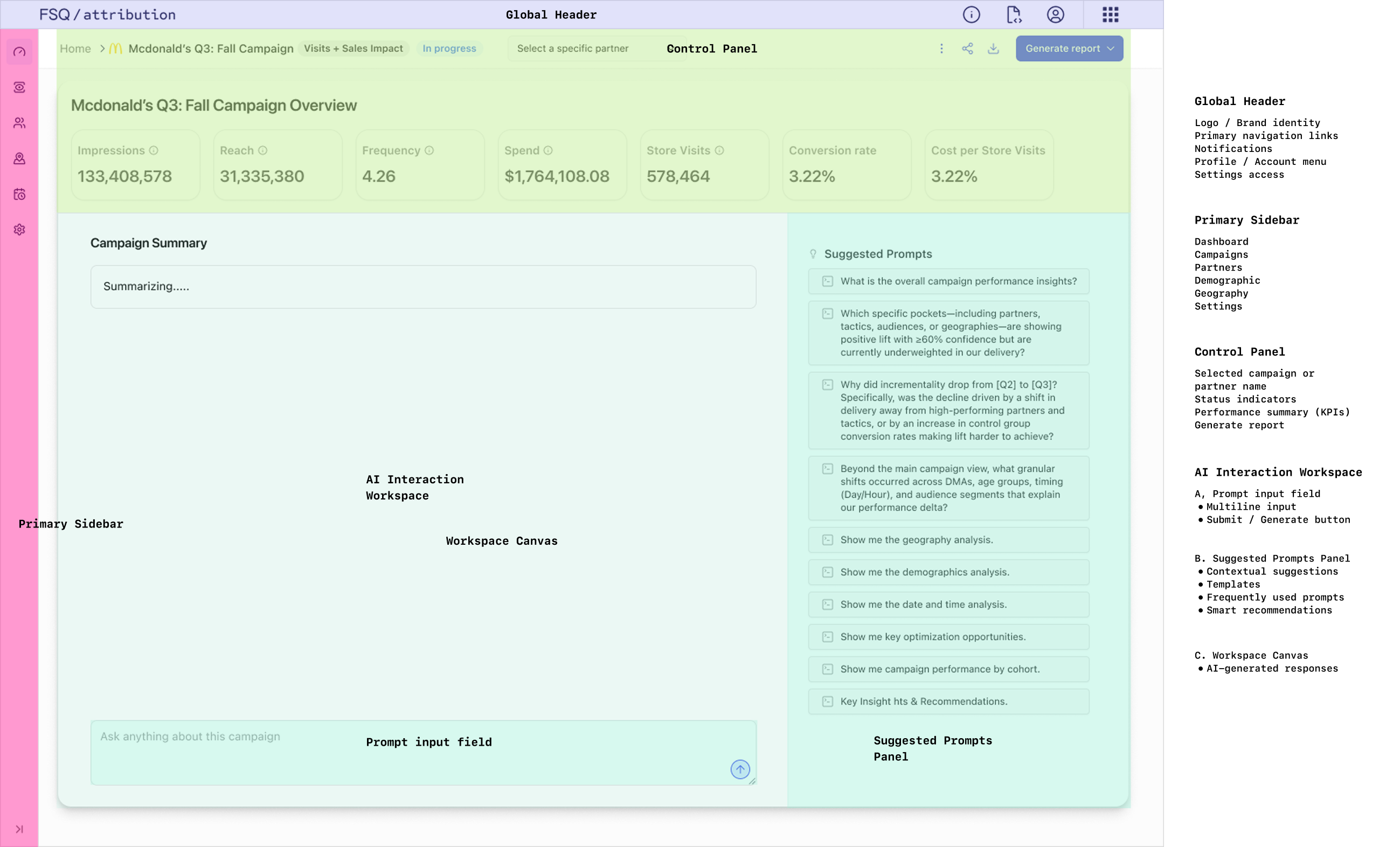
Page Anatomy / structure
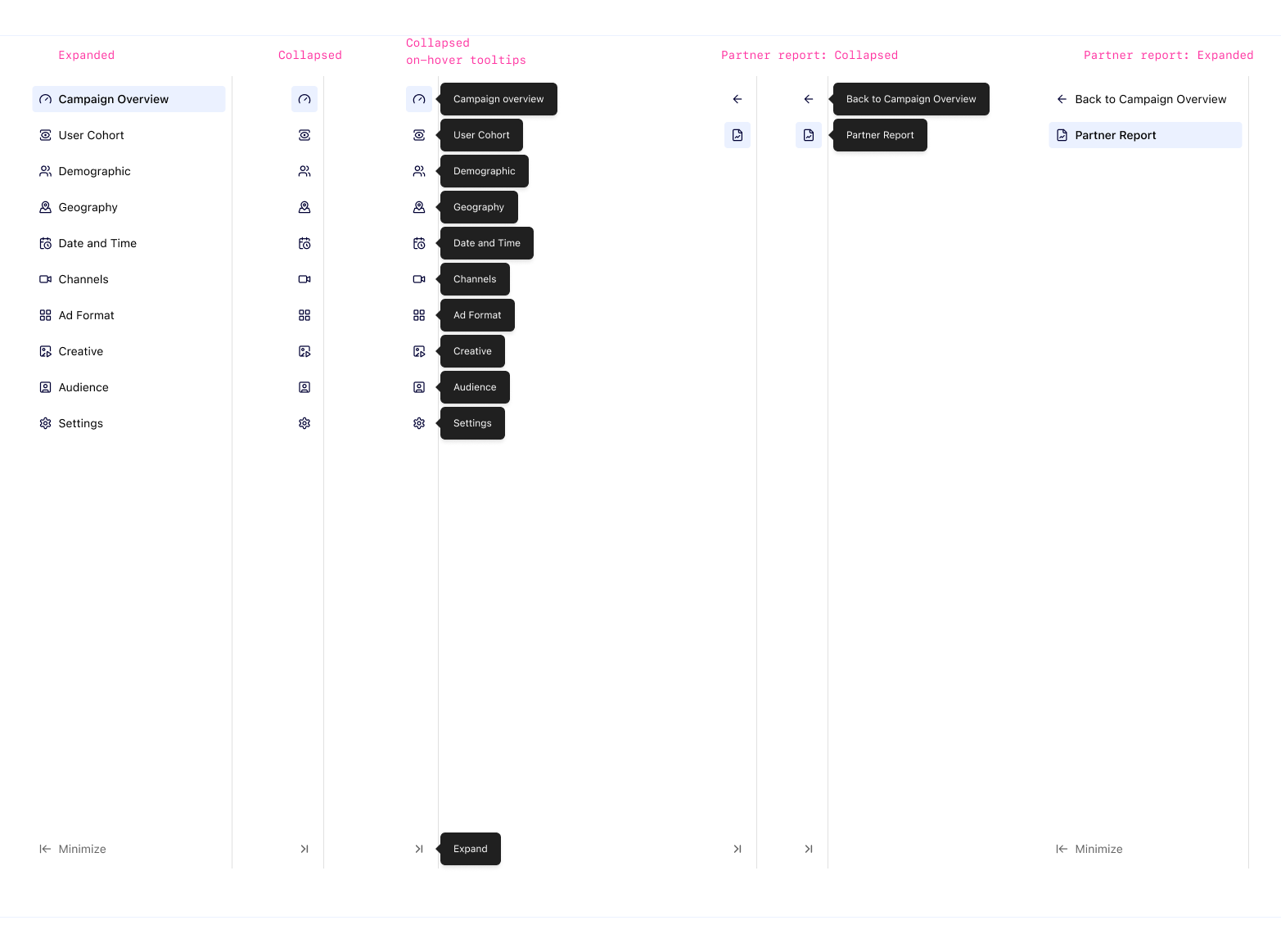
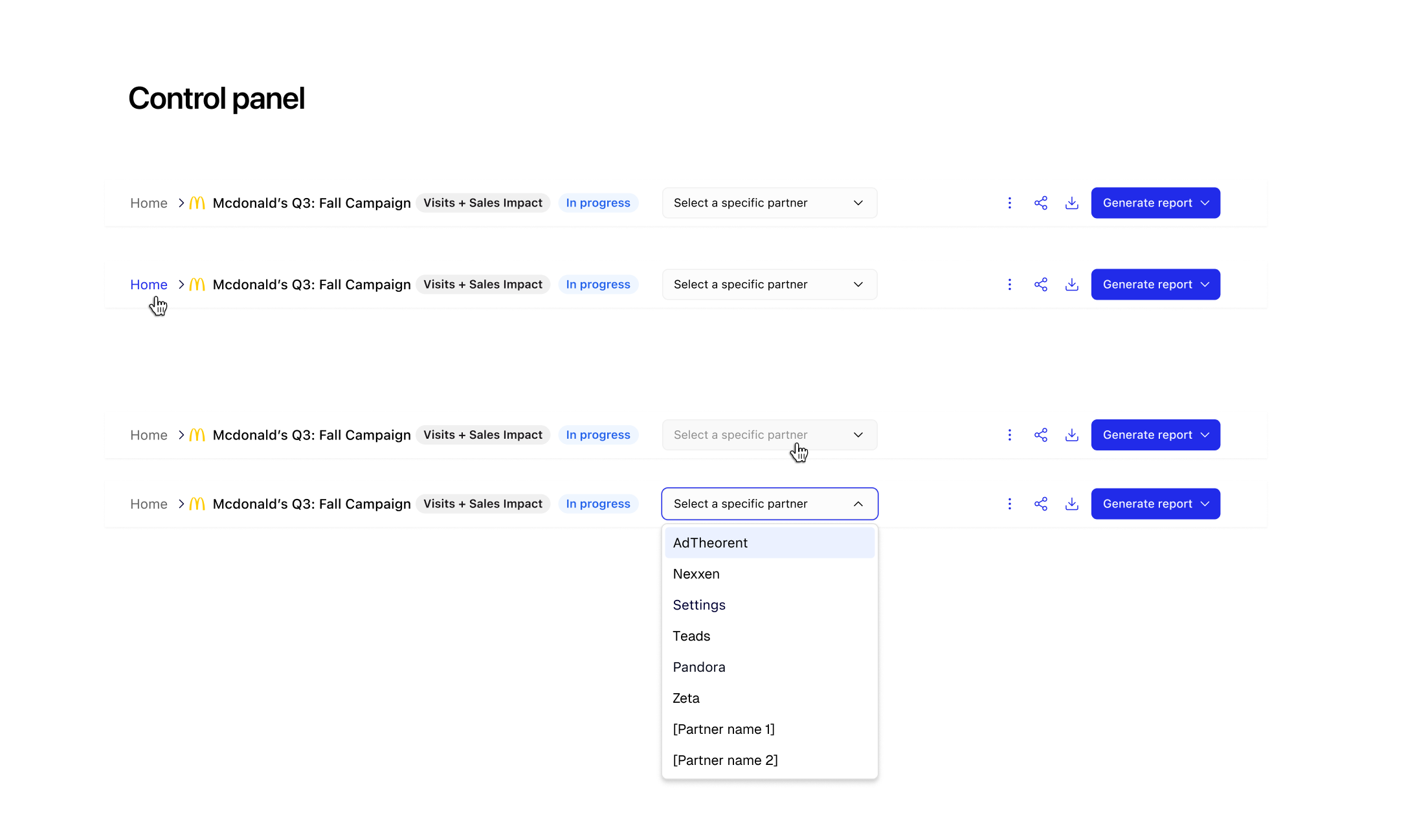
The UI follows a natural reading progression by dividing the screen into structured sections. Information is revealed progressively to reduce cognitive load and guide users step by step.
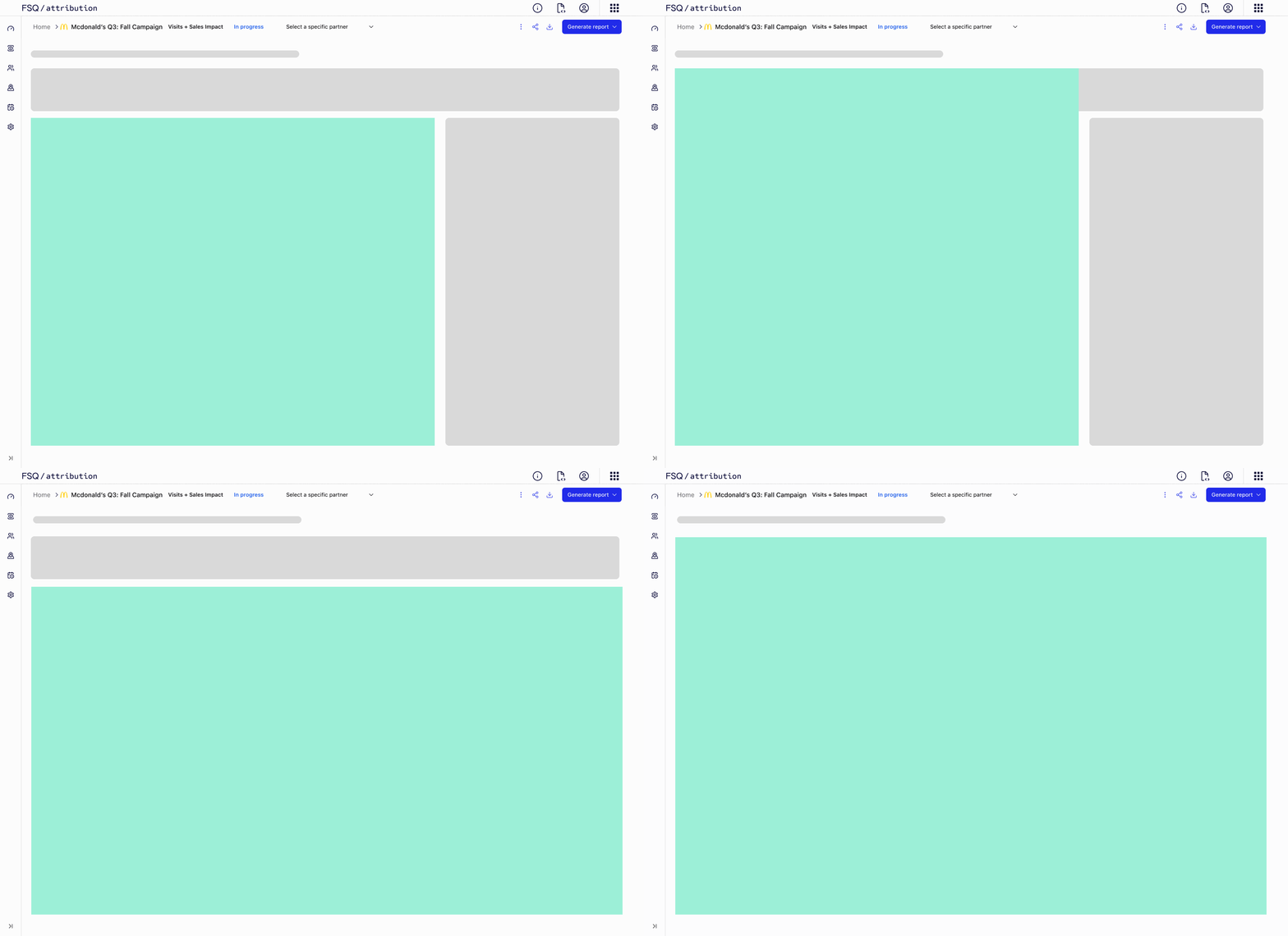
The layout also allows users to focus on AI interaction by collapsing the side panel and top panel. This creates a distraction-free mode that prioritizes the AI workspace while preserving access to supporting information when needed.
Design Details
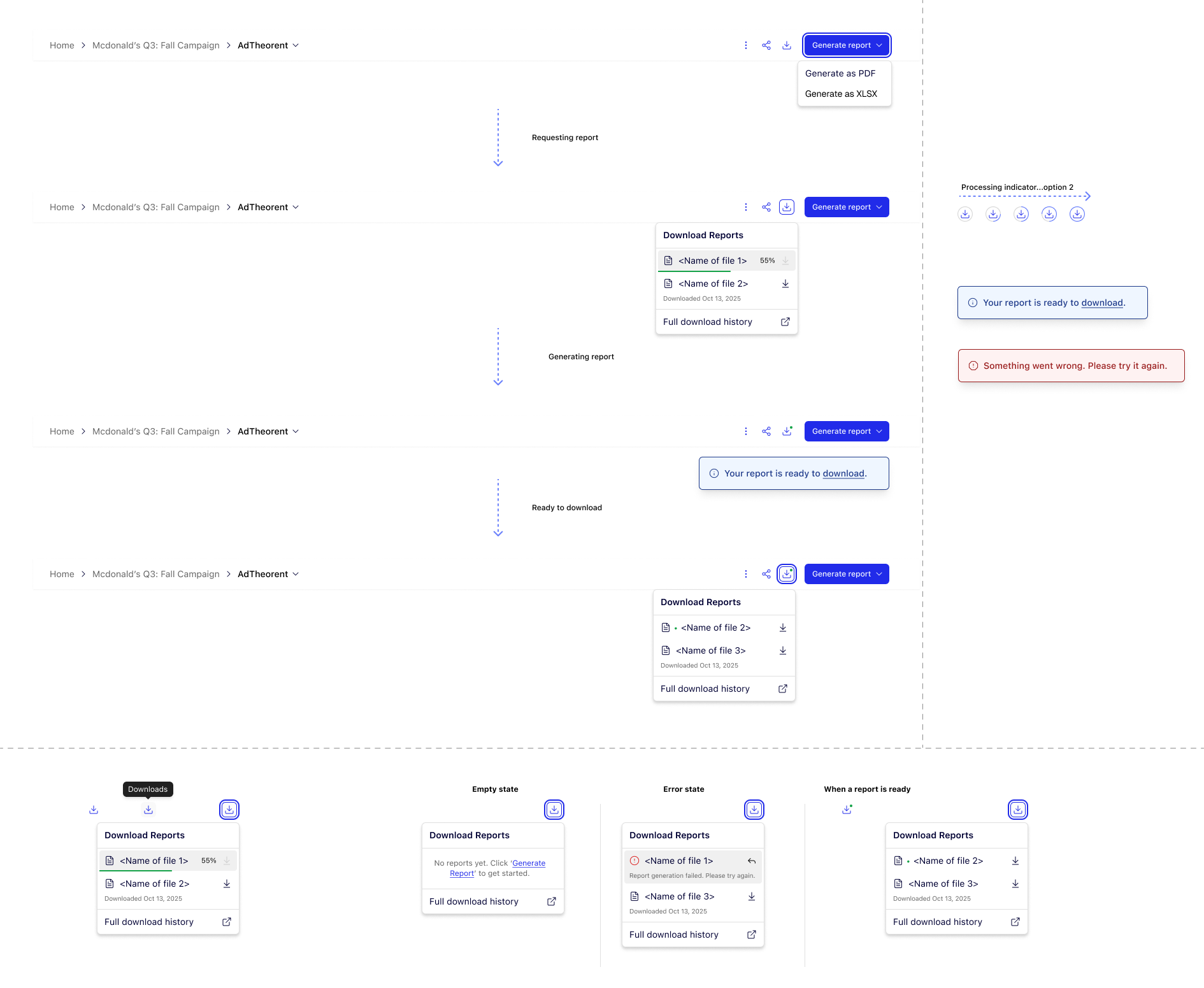
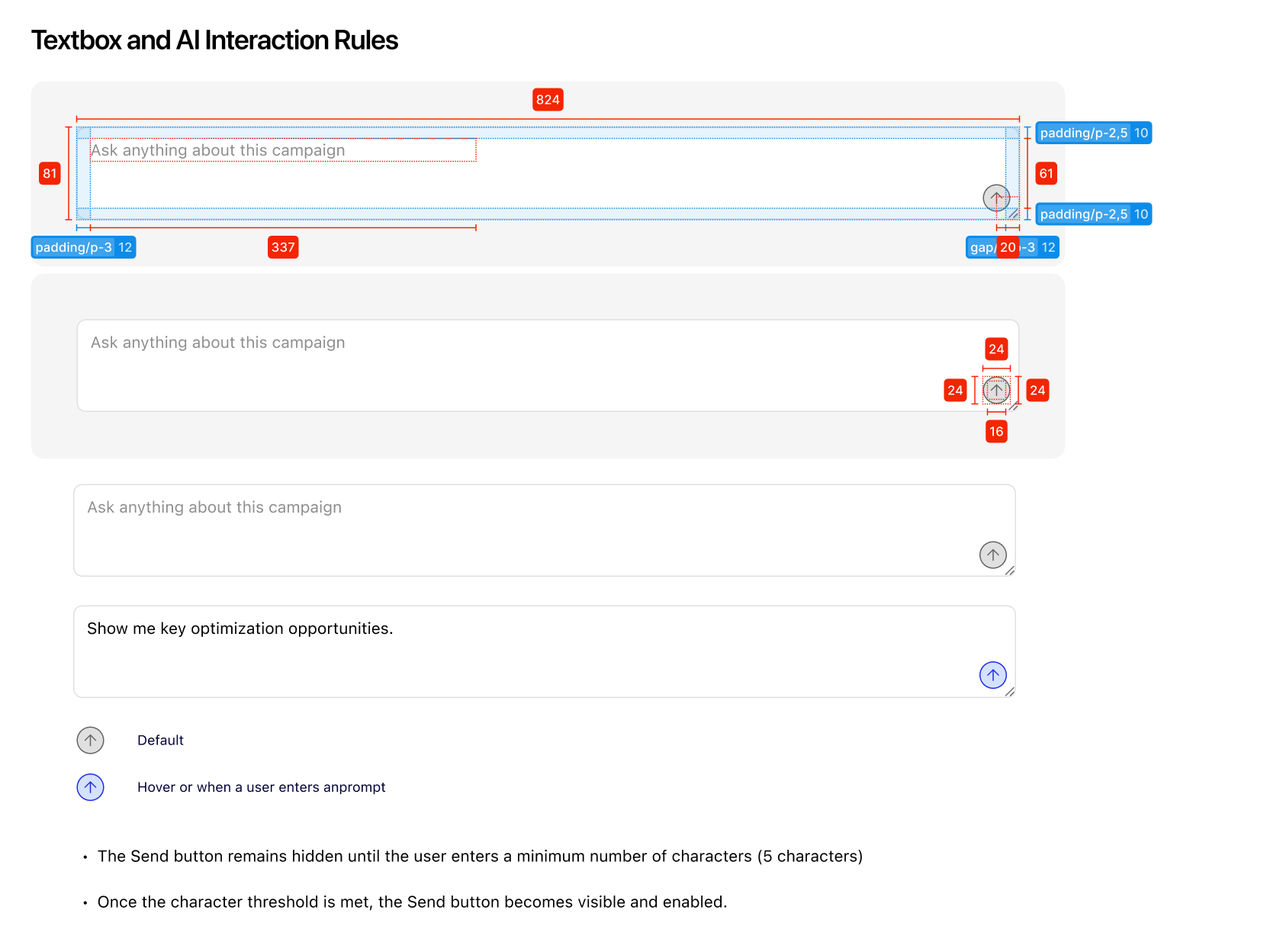
Micro-interactions, states, and polish. Error handling, loading states, empty states, and accessibility considerations.